This needs a computer. Open this page in Chrome or Edge on a desktop or laptop to play.
Fallout 1 and 2 in a browser tab, from the files you already own
-
Your files stay on this device OK
You pick your install folder once. Scraplight copies it into this browser's private storage and reads it from there. Nothing is uploaded, ever.
-
Game rules retail first OK
It aims to behave like the original releases (Fallout 1 v1.2, Fallout 2 v1.02); known gaps are in the roadmap. Anything different is an option, off by default, labelled NOT RETAIL.
-
Interface rebuilt to be read OK
New screens with text that scales to 200%, colour-blind palettes, and mouse, keyboard, gamepad or touch.
- READY. CHOOSE A GAME
Three steps, and the first one you have already done
-
Step 1 Own the game a copy of your own
A copy of Fallout 1, Fallout 2 or both, installed on your computer from any store or disc.
-
Step 2 Point at the folder once per game
Scraplight checks the files and copies them into your browser's private storage. It is resumable if you close the tab.
-
Step 3 Play any time
After that the game starts from the menu with no folder needed. Saves live in the browser, and you can export them to another machine.
What it looks like
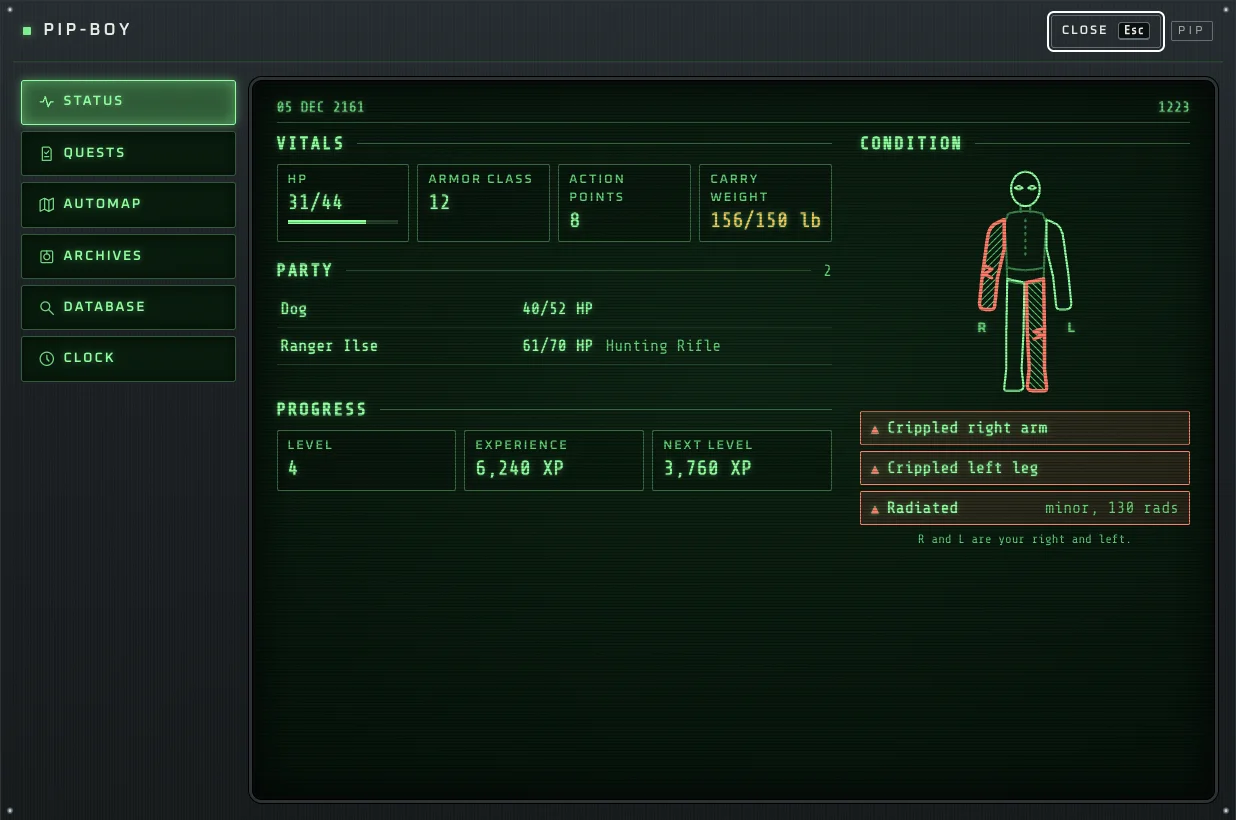

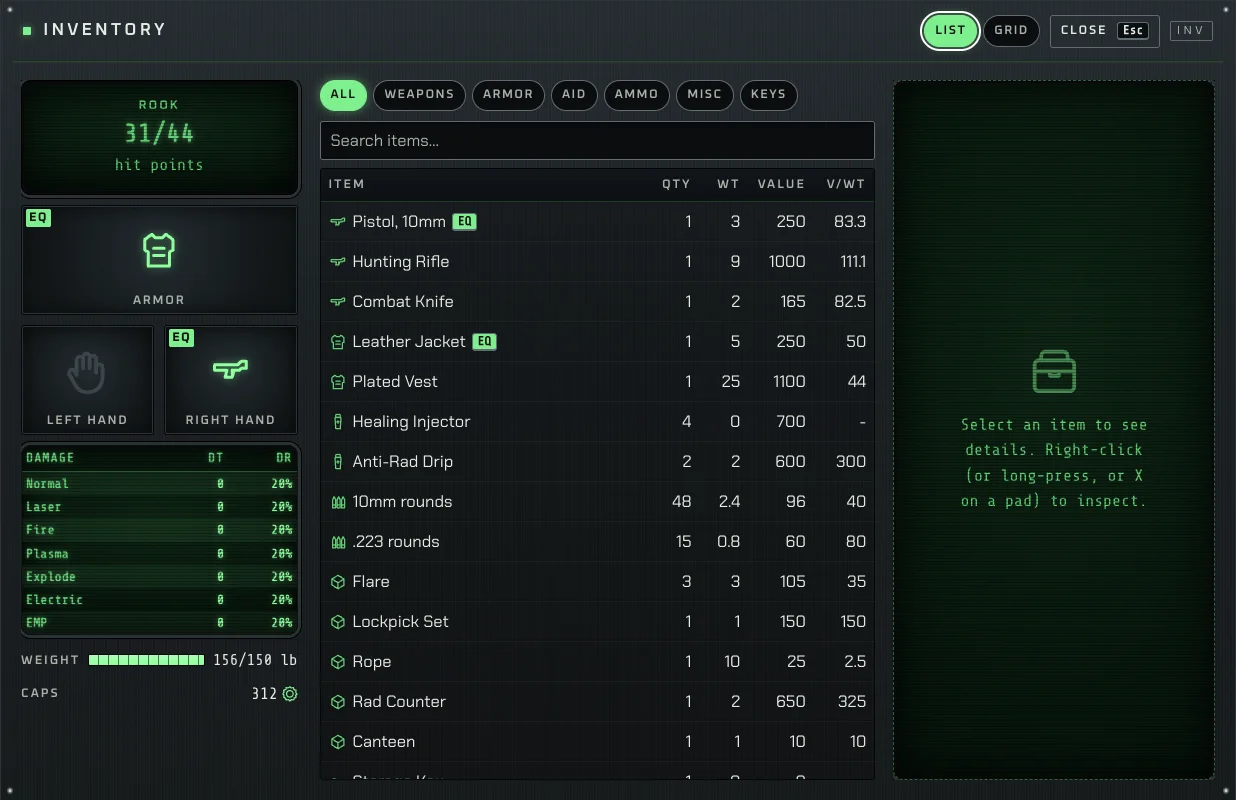
Screens from the interface gallery, drawn with sample data and Scraplight's own pictograms. In the game, item pictures and character art come from your files.
Retail is the contract
Always the original
The rules, scripts and text come from your files and run the way the games did.
- Combat, skills, perks, level-up, barter and the world map
- Scripts, dialogue and quests run as your files define them; known gaps are in the roadmap
- The classic action and move cursor, as a control layout you can pick
- Both games play through to their real endings in automated runs
Optional extras NOT RETAIL
Off unless you switch them on, and each one says so.
- Attack preview with hit chance, AP and damage
- Combat speed 2x or 4x, and a collapsible combat log
- Inventory search, sort, compare and favourites
- Quest tracker, photo mode, rotating autosave
- Modern controls: WASD, click-to-act, smarter hover outlines
An interface you can read
- Every input works
- Mouse and keyboard in Classic or Modern layouts, a full gamepad scheme you can remap (Xbox, PlayStation and Switch prompts), and touch.
- Made for long sessions
- Text size from 100% to 200%, colour-blind-safe status colours, reduced motion, and a screen-reader-friendly structure. Automated accessibility checks pass in the 35 screen states tested at desktop and phone width; a pass with a real screen reader and a real touch device is still to do.
- Yours to keep
- Export your saves as one file, move them between browsers and machines, and watch or share replays. After the first visit it opens offline.
Where it stands
This is an early release. Fallout 1 and Fallout 2 both play from character creation to the ending in repeatable automated runs.
Human play-testing is still thin, so expect rough edges, especially around audio and feel. Chrome and Edge only for now: other browsers cannot open a folder the way the importer needs, and Brave keeps that feature switched off unless you enable it.
Known gaps are listed in the roadmap. Bug reports are welcome on GitHub.
Questions
Is it free?
Yes. No ads, no accounts, nothing locked. The code is open source under the MIT licence.
Does it upload my game files?
No. They are read on your computer and copied into your browser's private storage. Scraplight makes no analytics, telemetry or third-party requests, and its fonts are served from the same site.
Which versions of the games work?
Fallout 1 (1.2) and Fallout 2 (1.02, with PATCH000.DAT) as installed from GOG, Steam or discs. Other builds and mods are untested.
Is it official?
No. Scraplight is an independent, fan-made engine. It is not affiliated with or endorsed by Bethesda Softworks or the owners of Fallout. See the legal notice.
Which browsers and devices?
Chrome and Edge on a computer. The importer needs the File System Access API, which Firefox and Safari do not offer and Brave ships switched off (enable brave://flags/#file-system-access-api to try it). Phones are not a target: the import needs a desktop browser and your install folder.
Where are my saves, and can I move them?
In your browser's private storage. Load game, then Export all, writes one .scraplight-saves file; Import bundle reads it back on another machine. Retail save slots can be imported from your install.
Will clearing my browser data delete the game?
It can. Browsers may clear site storage under pressure, and clearing data removes it on purpose. The import screen offers to ask the browser to keep the files, and you can re-import any time from your own folder. Export your saves if they matter.
Does it work offline?
After the first visit, yes. The app shell is cached, and your game files are already in the browser.
Can I play in another language?
The interface is ready for translation but only English ships today. The game text comes from your install.
How do I report a bug or suggest an idea?
Open an issue on GitHub. Please do not attach game files, and do not ask where to download them.